Share your screen without sharing your secrets.
Netmend Blur hides emails, phone numbers, card numbers, API keys or anything you click, right inside the page. Record demos, tutorials and screenshots with nothing to fix in post.
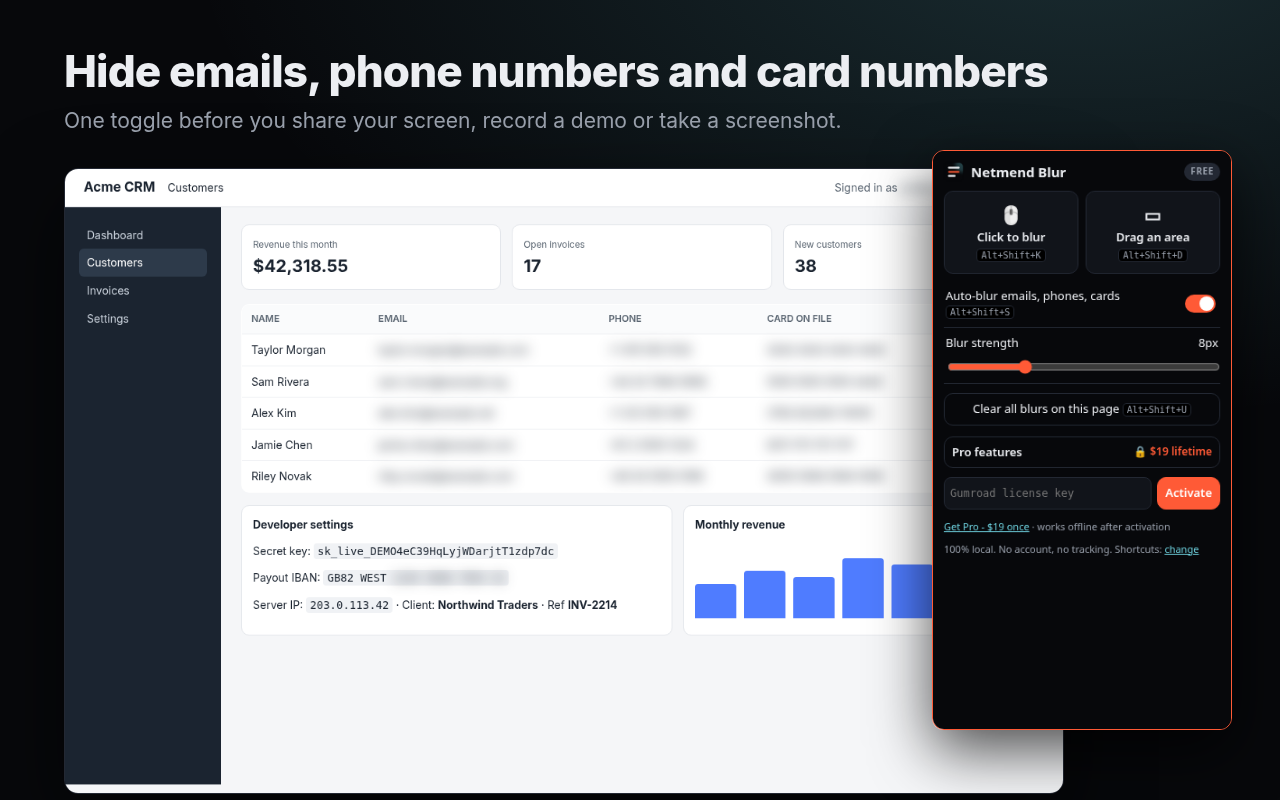
🖱️ Click to blur
Hover, click, done. Any text, image, table cell or form field.
▭ Drag to blur
Draw a box over charts, videos, canvases or maps.
⚡ Auto-blur
Emails, phone numbers and card numbers (Luhn-checked) blurred as they appear, even in live apps.
⌨️ Shortcuts
Alt+Shift+K click mode, Alt+Shift+D area, Alt+Shift+S auto-blur, Alt+Shift+U clear.
🎚️ Strength slider
From a soft blur to completely unreadable.
🔒 100% local
No account, no tracking, no servers. Nothing on the page ever leaves your browser.
Built for people who share screens for a living
Sales demos with real customer data. Support calls inside admin panels. Tutorials, courses, Loom videos, webinars, docs screenshots. Developers with a cloud console open.
Pricing
Free
- Click-to-blur and drag-to-blur
- Auto-blur emails, phone numbers, card numbers
- Blur strength slider
- Keyboard shortcuts and clear all
- Chrome, Edge, Brave and other Chromium browsers
Pro - lifetime
- Everything in Free
- More auto-blur patterns: API keys & tokens (Stripe, GitHub, AWS, Google, Slack, JWT), IBANs, IP addresses, crypto wallets, US SSNs, money amounts, password fields
- Custom keywords: client names, invoice IDs, project names
- Per-site memory: your blurs come back when you revisit a dashboard
- All future updates
FAQ
Does it send my screen or page to a server?
No. Detection is pattern-based and runs in your browser. The only network call is a license check with Gumroad when you activate Pro.
Does it work with Zoom, Google Meet, Teams, Loom, OBS?
Yes. The blur is applied to the page itself, so any tool that captures your browser tab or screen sees it blurred.
Why does it not ask to "read all your data on all websites"?
Free works only on the tab where you click it. Pro's per-site memory asks for access one site at a time, only when you turn it on.
Will it catch everything?
No automated tool is perfect. Netmend Blur cuts accidental leaks; always check your screen before sharing sensitive material.
Refunds?
If Pro doesn't work for you, email us within 14 days for a full refund.